
Sometimes, our emails can mistakenly land in your spam, junk, or promotions folder. To make sure you always get your updates, follow these easy steps for your email provider.
Quick Fix for All Providers
We’ve made a W4.0 Contact Card you can download. Just open it, and all our email addresses will be saved to your contacts at once:
Gmail (Web & Mobile)
-
Open your Gmail inbox.
-
Check your Spam or Promotions tabs.
-
If you see a W4.0 email there:
-
Drag it into your Primary inbox tab.
-
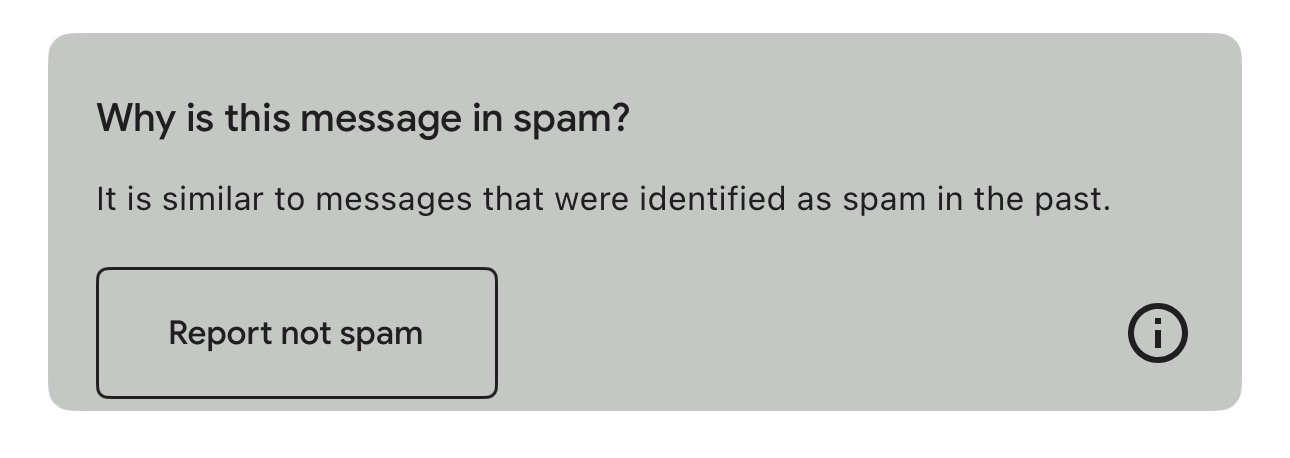
Or click the “Report not spam” button at the top.
-
-
Click the three dots in the top-right corner of the email.
-
Select “Add [our address] to Contacts list.”
-
✅ Tip: Once added, Gmail should always deliver W4.0 emails directly to your inbox.
Outlook / Hotmail / Live
-
Open your Outlook inbox.
-
If our email is in the Junk folder, right-click it or tap on the Actions button on mobile
-
Select "Mark as not junk" or "Mark as Not Spam".


-
Then:
-
Tap on our name or email address at the top of the email.
-
Choose Add to Contacts.
-
✅ Tip: Adding us to your contacts ensures our emails always land in your inbox.
Apple Mail (Mac & iPhone/iPad)
On Mac:
-
Open the email.
-
Hover over our sender name at the top.
-
Click Add to Contacts.
On iPhone/iPad:
-
Open the email.
-
Tap our email address at the top.
-
Tap Add to Contacts → Create New Contact.
✅ Tip: Once saved, Apple Mail will recognise us as a trusted sender.
Yahoo Mail
-
Go to your Spam folder.
-
If you see our email there, select it.
-
Click “Not Spam.”
-
Open the email, then hover over our name.
-
Click Add to Contacts.
-
Other Providers (AOL, ProtonMail, etc.)
-
Open your spam/junk folder.
-
Move the email back to inbox.
-
Look for an option like “Add to Contacts,” “Whitelist sender,” or “Not spam.”
Most providers have a similar process — moving the email back and adding us as a contact will usually fix the problem.
Final Tip
Replying to one of our emails (even just saying “Got it”) also tells your provider that you want our messages. This makes it much more likely they’ll land in your inbox every time.